Artwork and proof guide
Prepare Artwork for Custom Decals and Parking Permits
You don’t need finished artwork to get started. Send your logo, an existing design, an example of a previous permit, or even a concept or sketch. Our artist will help prepare your artwork at no charge. We’re happy to work with what you can provide—the best-quality original you have is the best starting point.
Send the strongest source you have
Preferred Artwork Files
Do not enlarge a small web image and assume it has become high resolution. Send the original source whenever possible.
Best: Original Vector Artwork
Adobe Illustrator AI or EPS files are preferred for logos and line art because they can scale without becoming pixelated. Convert text to outlines or curves before submitting so the intended letterforms travel with the file.
Good: Print-Ready PDF
A PDF can work well when it contains clean vector artwork or correctly sized high-resolution images. Keep the document at the intended proportions and include the content that must appear in the finished design.
High-Resolution JPG
For raster artwork or photographs, aim for 300–600 ppi at the final printed size when available. Don’t have a high-resolution file? Send what you have and we’ll review it.
Before sending the file
Artwork Preparation Checklist
- Send the original AI, EPS, PDF or highest-resolution JPG available.
- Convert text to outlines or curves in vector artwork.
- For raster images, aim for 300–600 ppi at the final printed size when available. If you’re unsure, send what you have.
- Identify any text, phone number, permit number or date that must be exact.
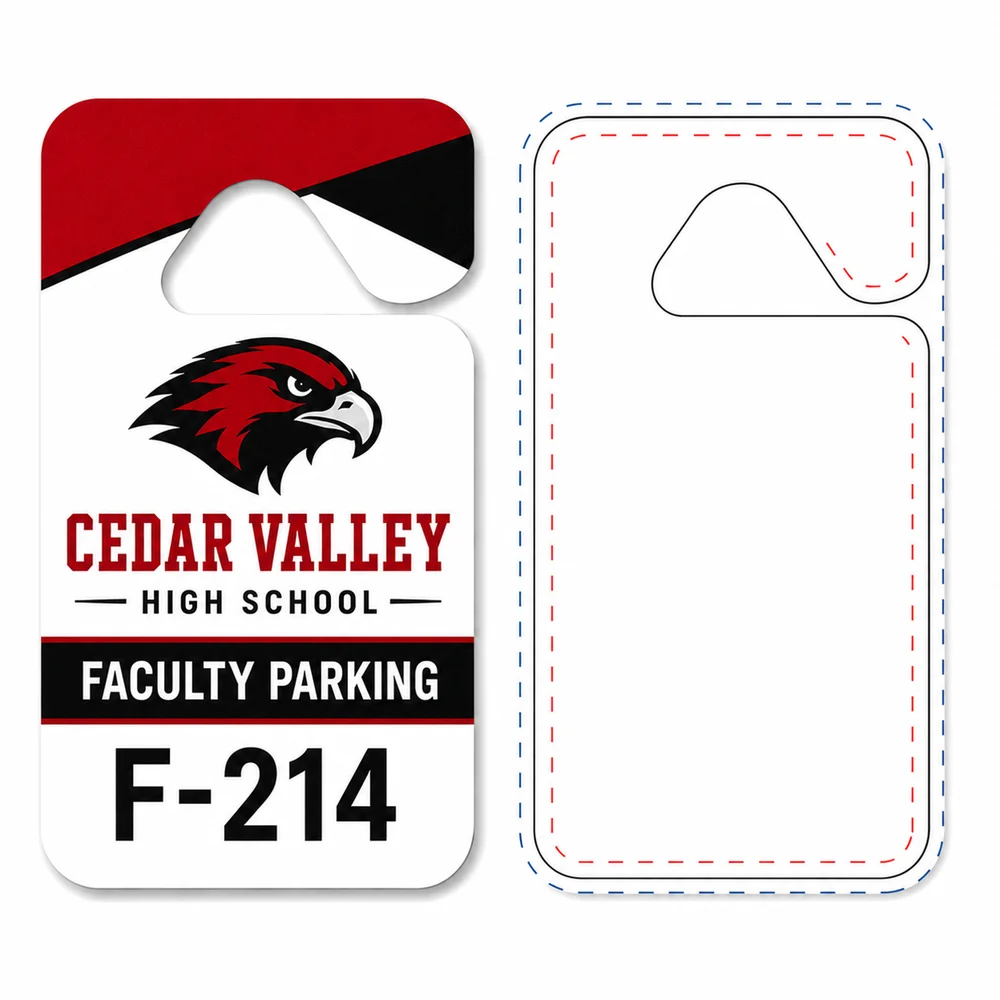
- Use a current hang tag template when designing to a specific die shape.
- Say which order or product the artwork belongs to when emailing files separately.
Fast human review before production
What Happens After You Submit Artwork?
- Send the order and artworkUse the product’s artwork upload option, when available, or email the file to artwork@needdecals.com with enough information to match it to the order.
- NeedDecals prepares the proofProofs are normally sent the same business day and often within a few hours when the order and usable artwork are available.
- Review every variableCheck wording, spelling, colors, logo, shape, layout, numbering range and any repeated or random numbers.
- Approve or request correctionsProduction begins only after proof approval. Custom orders normally ship 2–7 business days after prompt approval.
Treat the proof as the production checkpoint
What to Check on the Proof
On a small screen, scroll the table sideways to compare all columns.
| Check | Why it matters | What to compare |
|---|---|---|
| Words and contact details | The approved proof controls what is produced. | Names, phone numbers, URLs, instructions, dates and punctuation. |
| Numbers | A visually correct design can still contain the wrong range. | Starting and ending numbers, leading zeroes, duplicates and alpha-numeric characters. |
| Shape and orientation | Artwork must fit the selected product die. | Selected product, die opening, safe placement and front/back orientation. |
| Color and contrast | Screen color is an approval aid, not a calibrated physical sample. | Legibility, positive/reverse printing and any requested stock color. |